

Short answer first, because that is what I want when I am the one reading. If the frame is going to someone in their eighties and the people who will send the photos are a scattered bunch of adult children and teenagers, I would buy the Skylight Digital Picture Frame again. I bought one for my mother, June, who is 88 and lives in an assisted living apartment twenty minutes from me. The part that made it work was not the screen. It is that the frame has its own email address, and my grandkids already know how to send a picture to an email address. Nobody had to learn anything new.
The frame it gets measured against is the long shelf of app-paired frames that sell under names like Frameo, in big-box stores and online, under a dozen different labels, usually for a good deal less. I have set up two of them for friends, so I am not guessing here. They work. But they ask something of the sender that the Skylight does not. Every person who wants to put a picture on that frame has to install the app first, then type in a pairing code that somebody has to find and text around. In my experience that code gets lost, the photos quietly stop arriving, and nobody mentions it because nobody wants to admit it stopped working. One of those two frames has shown the same eleven photographs since last October.
How the Two Approaches Actually Differ
| Skylight Frame | App-paired frames (Frameo and similar) | |
|---|---|---|
| Price | Costs more up front than a basic app frame | Budget models sell for noticeably less |
| Sending a photo | Anyone can email a photo to the frame's own Skylight address, no app needed | Every sender installs the app and enters your pairing code |
| Setting it up | Plug it in, join the Wi-Fi, choose the frame's email address | Install the app, pair with a code, and the steps vary by brand |
| Screen | 10 inch color touchscreen at 1280x800, 16:9 | Varies by model, and many of them are not touchscreens |
| Storage | 8 GB built in | Often a memory card, so capacity depends on the card you put in |
| Showing photos without internet | Offline mode keeps showing the photos already on the frame | Varies by brand, and some will not start without a connection |
| Controls | The app, plus a screen you can tap directly | The app only, on most models |
| Stated warranty | None listed on the product page | Varies by brand, and some state one |
| Best for | A household of senders who will not install anything | Someone who wants the least expensive frame that works |
You will notice I handed the alternatives two rows without much of an argument. Price is one, and it is real. Storage is the other. A frame that takes a memory card can hold more than a frame with 8 GB built in, and I am not going to pretend otherwise. But look at what the other rows are actually about. They are about the sender, not the receiver. That is the whole argument in this comparison, and it is the reason I would spend more.
Think about who sends the photos. In my house it is a 14 year old with a phone, a 7 year old using her mother's phone, two adult children, and me. Four different phones, three different levels of patience. The Skylight asks each of them to do one thing they already do every day, which is send a photo to an address. The app frames ask each of them to download something, create a login, and hold on to a code. One of those survives contact with a busy family and the other does not. It is not a technical difference. It is a difference in how many chances there are for the whole thing to fall apart. Count the steps on each side and the arithmetic does the arguing for you.
Where Skylight Wins
The email address is the whole idea, and it is worth saying plainly. When you set the frame up you choose a unique Skylight address for it. From then on, anyone you give that address to can send a photo from their phone or their laptop, and it shows up on June's side table. She does nothing. She does not approve anything, she does not tap anything, she does not call me. The picture is simply there the next time she looks over. For a woman with arthritis in both hands, a gift that requires no hands is a better gift than one that does.
The screen earns its keep too. It is a 10 inch color touchscreen at 1280x800, with a 16:9 shape, so a photo taken on a phone fills it without the heavy bars you get on a squarer frame. From June's chair, across the room, faces are clear. I am not going to tell you it looks like a print. It looks like a photograph on a good small screen, which is exactly what it is. And when the internet in her building goes down, which it does, offline mode keeps showing the photos already on the frame. That detail matters more than any number on the box. It went out for most of a Tuesday in February and the frame never went dark once.
Where the Alternatives Win
Price, first, and I will not soften it. A basic app frame costs less, sometimes a lot less, and if money is the deciding factor then the cheaper frame is not a mistake. I also know plenty of people in their fifties and sixties who would find a pairing code mildly annoying and nothing more. If the person receiving the gift is comfortable with apps, has reliable Wi-Fi, and has a family that will actually install the thing, the cheaper frame will do the job. There is no drama in that. It is a photo frame, not a car.
The other honest point is storage and flexibility. Some alternatives take a memory card, so the amount of room you have depends on the card you buy rather than on what came in the box. If you are the sort who loads five hundred old family scans onto a frame once and never touches it again, that is a genuine advantage. And if the frame is going to sit on a shelf in a spare bedroom where nobody is going to troubleshoot it, spending less is sensible. A cheaper frame that disappoints is at least a cheaper disappointment.
The One I Would Buy Again for an 88 Year Old
June has never once asked me how it works, which is the highest compliment a gift can get. Check the current price and the delivery date before a birthday sneaks up on you.
Amazon Check Today's Price on Amazon →What the Picture Looks Like in a Real Living Room
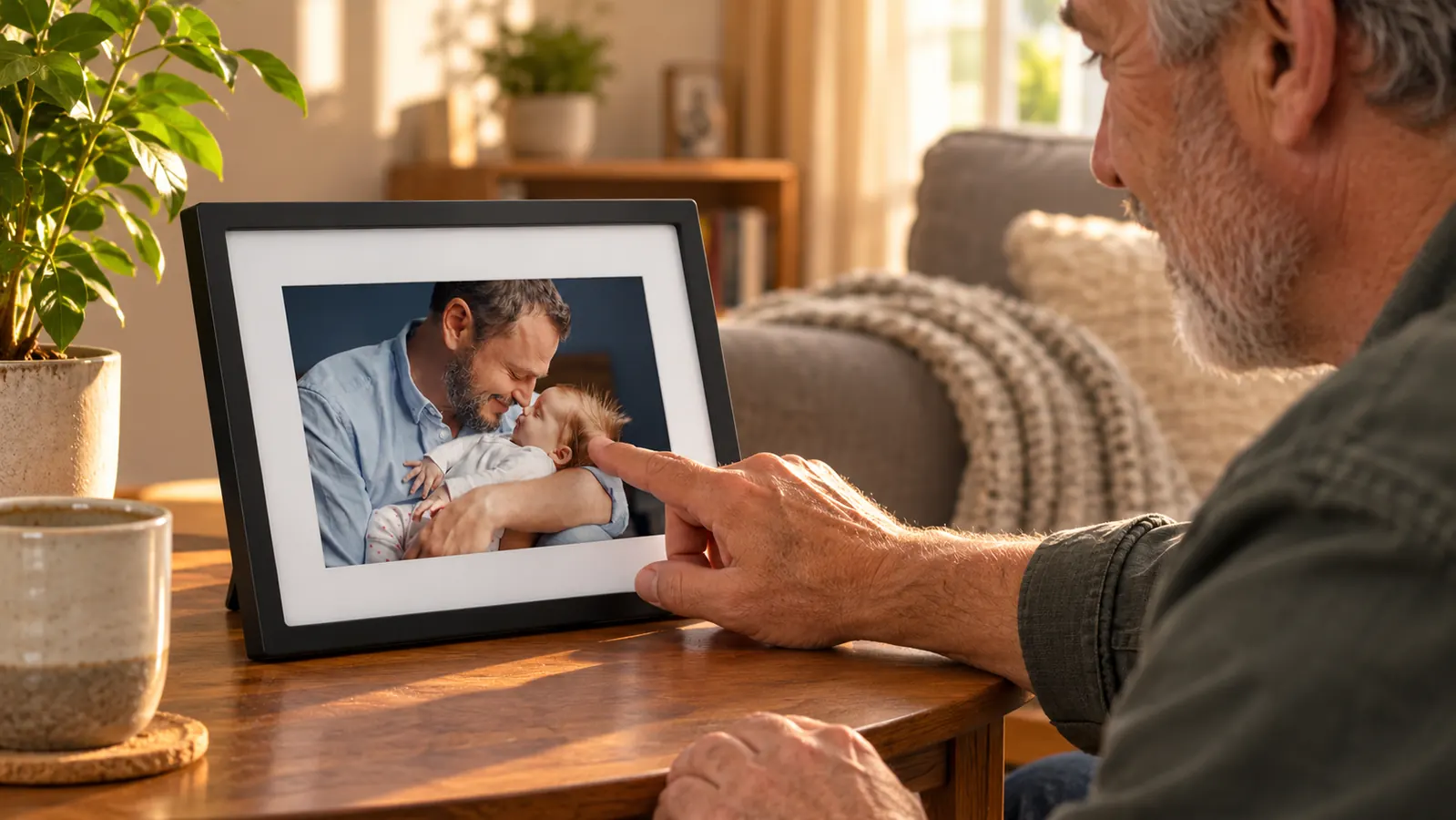
Here is the thing I did not expect. The frame does not compete with anything. It sits on the side table next to a lamp, it cycles through whatever has been sent, and it becomes part of the furniture the way a bowl of photographs used to. Nobody stands and stares at it. June glances at it while she is doing the crossword, every so often says, oh, that is a nice one, and that is the entire interaction. A tablet propped on a stand would demand attention. This does not, and that is why it is still switched on every single day. When I moved it two inches to make room for her pill organizer, she noticed before I had let go of it.
Photo quality from a phone is what matters, and it holds up. A snapshot of a 4 year old holding a garden hose, taken badly in poor light, still reads clearly at that size. Photos that were shot well look genuinely good. I sent one of the whole family from a summer cookout, taken on a phone at dusk, and it came out well enough that Ron asked where I had it printed. The resolution is 1280x800, which is not remarkable on paper, but across ten inches it is more than enough for the way people actually look at a frame.
The 14 year old sent a photo from a school bus. June saw it before I did, and she called me about it.

The Setup Test
Setup took me about ten minutes, most of which was finding the outlet behind the side table. The frame is corded electric, so it needs a wall outlet rather than a battery, and that is worth checking before you buy. In June's apartment the only sensible spot was next to the lamp, which worked out fine. It weighs about 680 grams, so it sits on a table without any fuss and does not need mounting or a shelf of its own. Plug it in, connect it to the Wi-Fi, choose the address. That is the entire job.
The harder question is what happens the first time something goes wrong. With the app frames I set up, the answer was usually a phone call to me, from a friend, asking what the code was. With this one there has been no phone call in the months since I set it up, because there is nothing for June to do and nothing for the senders to remember. That is not a feature you will find printed on the box. It is the difference between a gift that lives on a table and a gift that lives in a drawer, and it is the only test I really trust anymore.
The Two Things That Annoy Me
The first is that it needs Wi-Fi to receive anything new. Offline mode will keep showing what is already on it, which is a genuine kindness, but a new photo cannot arrive without a connection. If your person lives somewhere with unreliable internet, expect gaps. The second is the listing itself. The warranty field says no warranty, and 8 GB is not a large amount of storage by any modern measure, even if it holds far more photos than June will ever look at in a week. I would rather tell you that than have you find it out later.
One more small thing, and it is not really the frame's fault. Once you hand out that address, whatever gets sent tends to get shown, because June is not going to be the one curating it. So I am a little careful about who gets the address. A well meaning cousin who forwards every petition she receives is not on the list, and neither is the neighbor who sends me pictures of her cat twice a day. That is a small piece of homework on the giver's side, and it is worth doing before the frame arrives rather than after.
What I Liked
- Senders only need an email address, no app and no pairing code
- 10 inch touchscreen at 1280x800, clear from across a room
- Offline mode keeps showing photos when the internet drops
- Setup took me about ten minutes, and the receiver does nothing
- 8 GB holds far more photos than one person will browse in a week
Where It Falls Short
- Needs a Wi-Fi connection to receive new photos
- No warranty stated on the product listing
- Costs more than a basic app-paired frame
- You have to be choosy about who gets the frame's address
Who Should Buy Which
Buy the Skylight if the person receiving it is older, if their hands are not what they were, if the senders are a scattered group who will not all install the same app, or if you are the one who will end up troubleshooting it from twenty minutes away. It is also the right choice if the frame is a milestone gift, a birthday or a holiday, where you want the thing to work on the first afternoon rather than after three phone calls. In those cases the extra cost buys you quiet, and quiet is what you are actually shopping for.
Buy one of the alternatives if the budget is tight, if the recipient is comfortable with apps and codes, or if you specifically want a frame that takes a memory card and sits in a room where nobody will fuss over it. Those are all good reasons. What I would not do is buy a cheap app frame for a grandparent and assume the family will sort out the code. In my experience that is where these gifts quietly die, and nobody ever tells you. There is a longer piece on what living with this frame day to day is like, and a shorter one on why a photo frame lands so well with grandparents in the first place.
Give the Address, Not a Set of Instructions
One email address is a much shorter conversation than a pairing code, and it is the version my mother could actually use. Today's price and the delivery estimate are on the listing.
Amazon See Today's Price on Amazon →