

My mother is 88 and lives in an assisted living apartment twenty minutes from my house. She has arthritis in her hands, a recliner she loves, and a wall of framed photos she can no longer reach to dust. Last winter I brought her a Skylight digital picture frame, plugged it in on her side table, and had it running in about eleven minutes. Then I waited to see whether it would become furniture she ignored or something she actually used.
Months later, I can tell you what happened. She checks it the way some people check a mailbox. The grandkids send pictures from their parents' phones without asking me first, which is the whole point, and she has opinions about which ones stay on the screen. But there are also two things about the Skylight frame that annoyed her in the first month, and one of them is the reason a fair number of people should not buy this. I will get to both.
The Quick Verdict
The easiest photo frame I have set up for someone with arthritic hands, and the one my mother actually looks at. It needs Wi-Fi and a phone to be useful, so it is wrong for anyone who lives without either.
Amazon Check Today's Price →The frame my mother checks like a mailbox
Plug it in, connect to Wi-Fi, and pick a Skylight email address. After that, anyone in the family can send a photo from their phone in about ten seconds. Check today's price and the current shipping window on Amazon.
Amazon Check Today's Price on Amazon →How I've Used It
I want to be clear about what this review is and is not. I am not a tech reviewer. I am a 63-year-old retired school librarian who has bought a lot of gifts for a mother who does not want more clutter, and I have watched several of them fail. A digital frame is one of those gifts that sounds wonderful in the product photo and can turn into a black rectangle in the corner of a room if nobody keeps it fed with pictures.
So I set it up on a Sunday afternoon with my mother watching, deliberately, because I wanted to see whether she could follow along. The Skylight frame came out of the box, I plugged the cord into the wall, it found the building Wi-Fi, and I typed in the password with the on-screen keyboard. Then it asked me to choose a unique Skylight email address for her, the kind you can say out loud over the phone. Hers is her first name and her apartment number. That is the entire setup. The screen was already showing something before I finished, which mattered more than I expected. She did not have to stare at a blank panel while I fumbled.
The part I did not do for her, on purpose, was send the first pictures. I texted my daughter the Skylight email address and let her handle it. Twenty minutes later four photos of the grandkids landed on the frame while my mother was sitting next to it. She gasped. I am not exaggerating for effect. She said, "Well how did that get there?" That is the moment this gift either works or does not, and for her it worked.
Since then I have been the one who resets things when the internet goes down in the building, which has happened twice. Both times the frame kept showing the photos already on it, because the Skylight has an offline mode for pictures it already holds. Both times it reconnected on its own once the building Wi-Fi came back. I did not have to drive over. That is the whole of my maintenance burden in several months, and it is worth saying plainly because I expected worse.
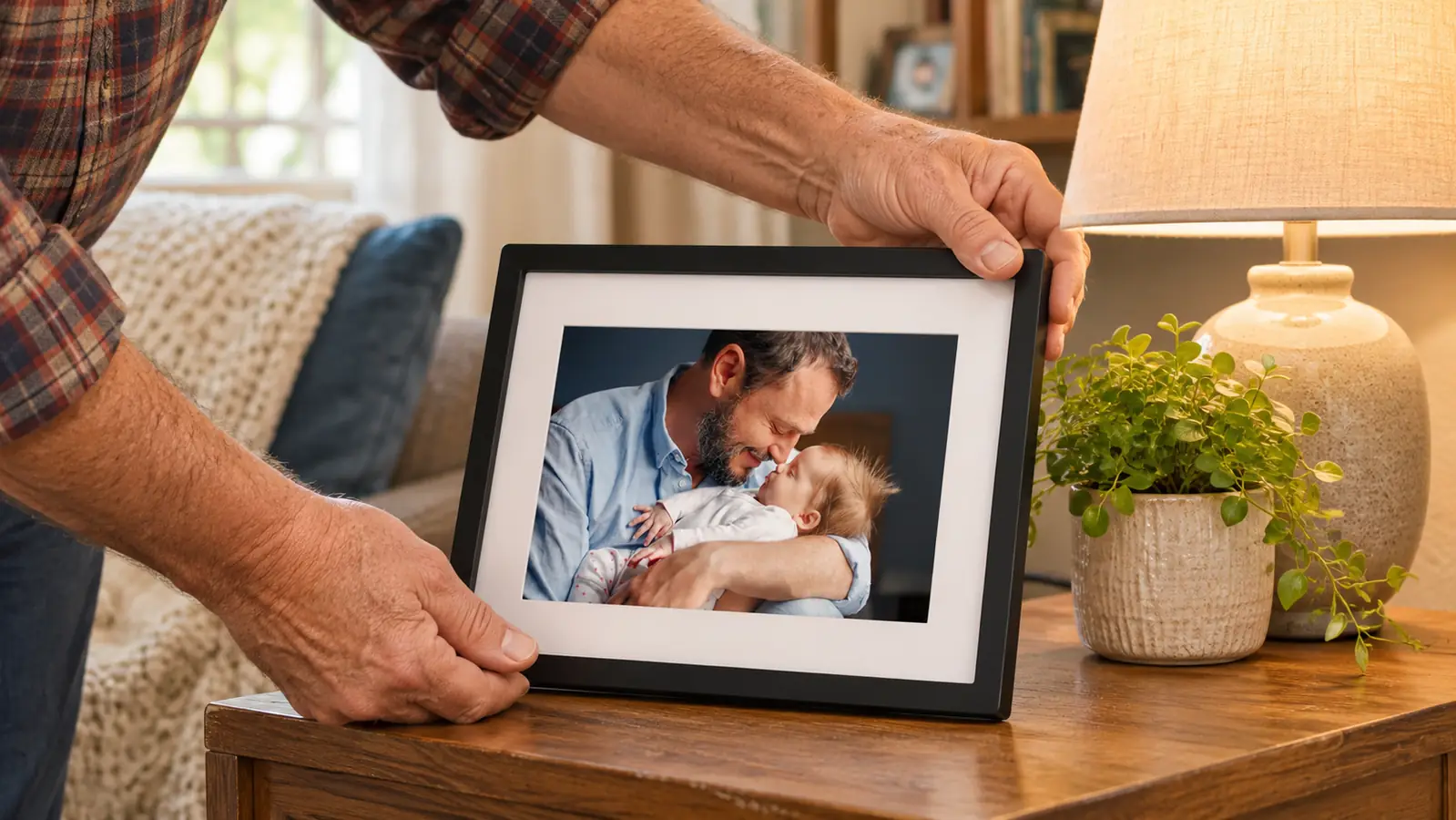
What the Screen Is Actually Like in a Small Apartment
The frame has a 10-inch color touch screen with a 1280x800 resolution, in a 16:9 widescreen shape. In a small apartment, that is the right size. Big enough to see from her recliner across the room, small enough that it does not take over a side table. I have seen digital frames that are basically small televisions, and those read as intimidating. This one reads as a picture frame.
The resolution number matters less than the viewing angle, and I cannot give you a spec for that. What I can tell you is that from her chair, at a slight angle, the photos are clear. Old phone snapshots of the grandkids at a birthday party look like snapshots. They do not look like a screen. The touch screen responds to a knuckle when her hands are bad, which is how she uses it most days.
One honest note: the screen is glossy enough that in late afternoon, when the sun comes through her window, there is a visible glare from certain angles. She moved the frame six inches to the left and solved it. Not a defect, but worth knowing before you decide where it goes, especially if the person you are buying for has a favorite chair facing a bright window.
How the Photos Get There, and Why That Matters
Here is the mechanic that makes the Skylight frame different from the digital frames of ten years ago. You do not load photos onto a memory card. The frame has its own email address, and anyone you give that address to can email a photo to it. The frame connects over Wi-Fi, receives the photo, and adds it to the rotation. My daughter does it from the school pickup line. My son-in-law does it from his truck. Nobody has to be in the same state.
For the person receiving the pictures, this is close to frictionless. My mother has never sent a photo herself and has no interest in learning. She is on the receiving end, which is the entire job. She taps the screen to move to the next picture. That is the whole interaction, and it is the right amount of interaction for her.
One thing I did not anticipate: the frame turned into a small family project. My daughter set a reminder on her phone to send a picture every Sunday, and the grandkids have gotten competitive about it. The 14-year-old sends the ridiculous ones. The 9-year-old sends drawings. That is not the frame doing anything clever. That is the frame being easy enough that nobody dreads it.
The frame holds 8 GB of storage, which is far more than my mother will ever fill. The listing also notes a load-from-phone capability, and there is a companion app on the family side of things, the kind you would install on a smartphone. I set that up for myself so I could add pictures and manage the frame remotely, which has been useful when she calls to say a certain photo is stuck.
The Two Things That Annoyed Her
The first is the cord. The Skylight frame is corded electric. There is no battery, so it lives where an outlet is, and in an assisted living apartment the outlets are not always where you want a picture frame. We ended up with the cord running behind a lamp, which is fine, but it is not the clean look of the catalog photo. If the person you are buying for has limited outlet access, or you were picturing this on a bookshelf in the middle of a room, plan for that.
The second is that it does nothing without Wi-Fi. It requires a connection to receive or upload new photos. It will keep showing what it already has in offline mode, which saved us twice, but it is not a device for someone with no internet in the home at all, and it is not a device for someone who would panic at the words "connect to Wi-Fi" on a screen. That is a real limitation and it rules out a subset of buyers.
Neither of these is a dealbreaker in my mother's case. Both are the kind of thing you want to know before the box arrives rather than after, when you are standing in someone's living room looking for an outlet behind a couch.
Twenty minutes after I texted my daughter the frame's email address, four photos of the grandkids appeared while my mother was sitting next to it. She said, "Well how did that get there?" That is the moment this gift works or it does not.

What It Has Done to Her Apartment, Months In
This is the part I did not expect. My mother has always had photos up, but they were static. Baptisms from 1994. A school portrait of me with a regrettable haircut. After a few months with the Skylight frame, the wall of photos is still there, but the frame has become the thing that is current. She knows what the 4-year-old wore to preschool on Tuesday. She saw the snow before I did.
It has also changed the phone calls. She used to call and ask what the grandkids were up to, and I would give a summary. Now she calls with a specific question about a specific picture. Did the 9-year-old lose a tooth? Who is the boy in the soccer photo? The frame gave her a way into the family's week that does not depend on me relaying it. For an 88-year-old in an apartment, that is not a small thing.
The staff at her building have noticed. Two of the aides have asked me what it is, because their own mothers would like one. I have written the name down four times. That is as good a signal as I can give you: it is a gift that other people see and want, not one that gets quietly unplugged.
Where It Falls Short
I want to be fair to the skeptical reader, because I was one. The Skylight frame is not an inexpensive purchase compared to a printed frame from a discount store, and it is not a substitute for printed photos. It is a small screen with a cord. If the person you are buying for is happy with the photos already on their wall and does not want a device in the room, this is the wrong gift, and no amount of setup help will change that.
There is also a real risk of the frame going stale. A digital frame with nobody sending pictures is a slideshow of the same twelve photos forever. The gift only works if the family commits to using it. In our case my daughter took to it immediately. But I have a friend whose mother received one from a different branch of her family and it sat for a year. Before you buy, ask yourself honestly whether the people who would send photos will actually send them. If the answer is no, buy a nice printed album instead.
And the warranty field on the listing says none, which I did not love reading. My mother's frame has had no problems in several months, so I cannot tell you what the service experience is like, but I would keep the box and the receipt for the first year.
What I Liked
- Setup took about eleven minutes, and my 88-year-old mother could follow along
- Family sends photos by email from a phone, no app required on the receiving end
- Keeps showing existing photos when the Wi-Fi drops
- 10-inch 1280x800 touch screen is readable from across a small room
- Touch controls respond to a knuckle on days when her hands are bad
Where It Falls Short
- Corded only, so it has to sit near an outlet
- Requires Wi-Fi to receive new photos
- Glossy screen picks up glare near a bright window
- Goes stale if the family stops sending pictures
- Listing shows no warranty
Who This Is For
Buy the Skylight frame for a parent or grandparent who loves photos of the family, has Wi-Fi in the home, and has at least a couple of family members with phones who will actually send pictures. It is best for someone who is on the receiving end and does not want to learn a new device. My mother taps the screen and that is the whole interface. If the person you are buying for has arthritic hands, poor eyesight, or lives alone and likes being reminded that people are thinking about them, this is a strong fit.
It also works well as a shared gift from siblings. One frame, one email address, everybody sends to it. If you want the fuller comparison against the other big name in this category, I wrote up Skylight against Frameo separately, and if you are still deciding whether a photo gift is the right call at all, my list of ten reasons photo gifts land with grandparents covers the ground.
Who Should Skip It
Skip it if the person has no Wi-Fi, no interest in a device on the table, or no family who will reliably send photos. Skip it if the only available outlet is in an awkward spot and a cord running across the room would bother them. Skip it if they would rather have one beautiful printed portrait than a rotating screen.
And skip it if you are buying it as a substitute for calling. I mean that sincerely. The frame has made my mother feel closer to the family's week, but it has not replaced a single phone call, and it should not. It is a supplement. The visits still matter more.
If the family will send pictures, this is the one
Eleven minutes to set up. A Skylight email address you can read over the phone. Photos from the grandkids that arrive without you doing anything. Check today's price on Amazon and see the current shipping estimate.
Amazon See Today's Price on Amazon →One last thing, because it is the question I get asked most. Would I buy it again? Yes, and I already have, in a sense. My mother's frame is staying where it is. When my own birthday comes around and my kids ask what I want, I have started dropping hints about a second one for the kitchen. Ron thinks that is silly. Ron also thought the recliner was silly, and he has not left it since 2019.