

June is 88. She lives in an assisted living apartment about twenty minutes from our house in Lancaster, she has mild arthritis in both hands, and for three years the phone on her end table was a quiet little misery. Not the calls. The phone. She would pick it up, hold it six inches from her face, and ask me to tell her who was calling. The buttons were the size of lentils and the screen was a gray smudge. Every Sunday I watched her stab at the wrong button and apologize to a recorded voice. When I finally bought her something with big buttons, I did it out of guilt more than hope.
This is not a love letter. I am a retired school librarian, not a gadget person, and my record with gifts for June is uneven. The weighted blanket was a hit. The tablet was not. So when I set up the Panasonic KX-TGU432B next to her chair, I told myself I would give it two weeks and quietly take it back if it turned into another tablet. It has been considerably longer than two weeks and it is still there. What follows is the honest version, including the six things I wish the listing had told me before I spent an evening with the instruction booklet.
The Quick Verdict
A genuinely easy phone for hands that hurt and eyes that squint, with a flashing favorites key that quietly does most of the work. It is still a landline phone, and setup is an evening you will not get back.
Amazon Check Today's Price →The phone she answers on the first ring instead of the third
Two handsets, a 2.1 inch display, big separated buttons, and a favorites key that flashes when someone calls or when someone called and she missed it. Check for a phone jack first.
Amazon Check Today's Price on Amazon →How I Actually Tested It
I did not test this phone the way a review site does. There was no lab, no decibel meter, no spreadsheet. What I did was this. I unplugged her old phone on a Saturday morning in March, put the Panasonic base where the old one had been, set both handsets on their chargers, and then left her completely alone with it for four days. I did not coach her. I did not hover. I did not leave a note on the counter. When she called me by accident on day two, at twenty to ten in the morning, she could not work out how to hang up. I listened to her breathe into the receiver for a bit, said nothing helpful, and let her sort it out instead of driving over. It took her about ninety seconds and she was cross about the whole business, but she sorted it out, and she never made that particular mistake again.
At the end of the first week I sat in her chair and asked her to do five things without help. Answer a call I placed from the parking lot. Hang up on it. Call me from the favorites key without scrolling through anything first. Turn on the flashlight in the hallway with the lights off. And check who had called while she was at dinner. She got four of the five cleanly and the fifth on the second try. The one that caught her was the missed call list, which lives one step deeper in the menu than she expected it to. The second try only worked because the favorites key was flashing at her and she pressed it out of curiosity rather than memory, which tells you something about how she actually uses the thing.
I also tested the parts that matter to me, the person who sets these things up and then becomes the help desk. I read the quick start page twice, because the first read left me with two questions and the second read answered one of them. I registered the second handset, which took three attempts because I did not understand at first that it has to be done at the base rather than at the handset. I recorded a greeting she approved of on the fourth take. I set the time, and got it wrong by an hour the first night because I misread the format. I did not buy the Panasonic range extender, so I cannot tell you how well that works, only that the phone is built to accept one.
What It Gets Right, and Why the Buttons Beat the Screen
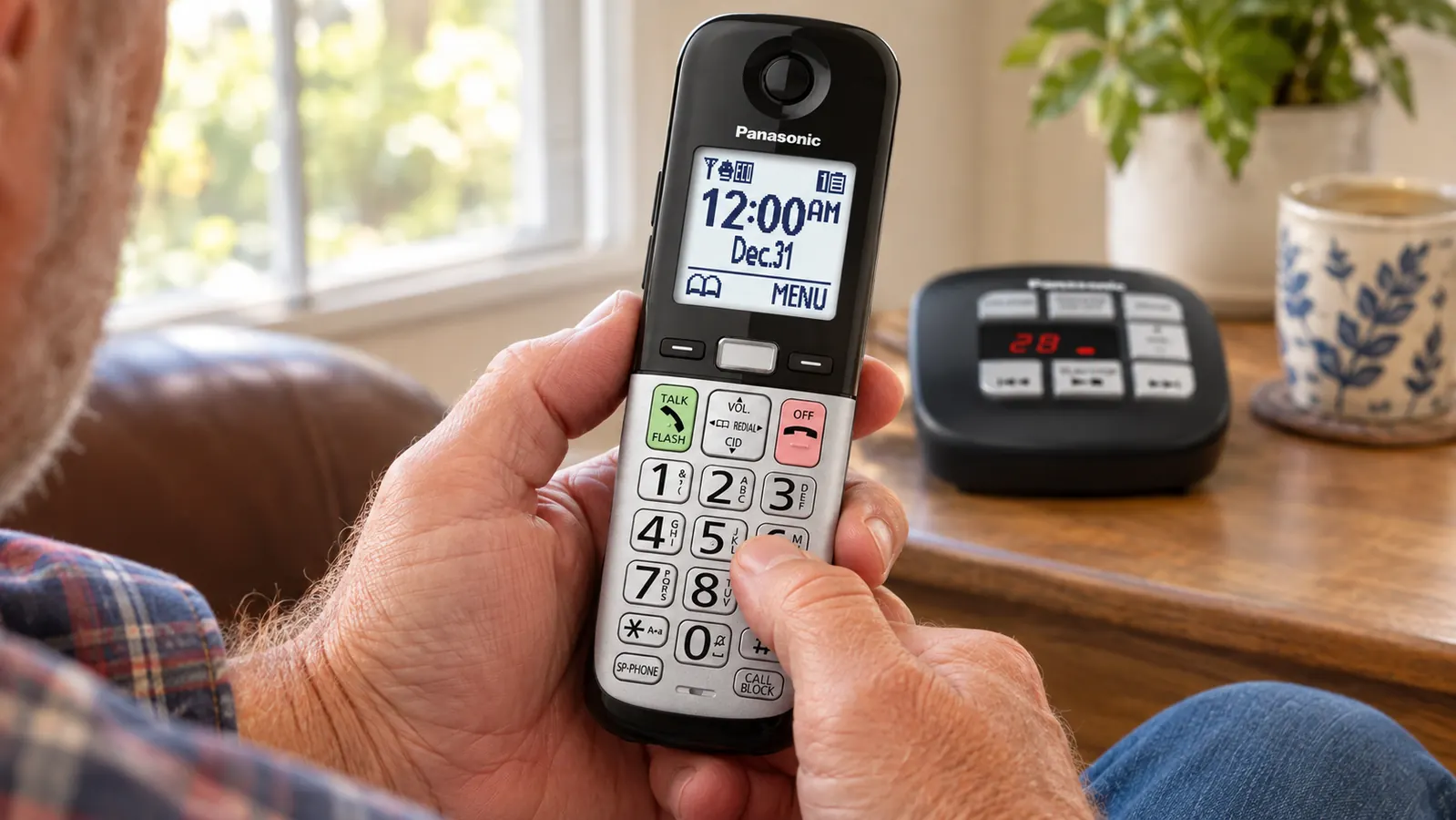
The display is 2.1 inches. That does not sound like much until you set it next to an ordinary cordless phone, and then the difference is not subtle. Her old handset had a screen the size of a postage stamp showing three lines of gray text. This one shows the name, the number, and the time in characters she can read from her chair without pulling her glasses off the chain. The buttons are the bigger story. They are large, they are separated, and they have enough of a raised edge that her thumb finds the right one without her looking down. That last part is the thing I did not know to want. She calls me now while watching the television instead of while staring at the phone, and she has stopped holding the handset at arm's length like a document she is trying to read.
The talking caller ID changed her routine more than anything else on the phone. It says the name out loud before she picks up, so she no longer has to choose between answering blind and letting it ring. She has strong opinions about who deserves a pickup. Now she gets to have them before the machine clicks over instead of after. In the first month she let three calls from a number she did not recognize ring straight through, which is exactly the behavior I wanted for her and could not have taught her if I had tried.
The volume boost is the feature people ask me about. Turning it up is a menu step rather than a button on the side, which is a small annoyance for her and a slightly bigger one for me. Once it was set, though, she stopped saying what after every sentence, and that alone was worth a menu step. I set it in March and have not touched it since. Her hearing is fine, by the way. It was the small speaker in the old handset that was failing her, not her ears, and it took both of us an embarrassingly long time to work that out.
The Flashing Favorites Key Is the Part Nobody Mentions
The favorites key flashes. Nobody puts that in a product headline, and it is the reason this phone works in her apartment. It flashes when a call comes in and it keeps flashing when a call is missed. Her list has four names on it. Me, my husband Ron, her sister in Ohio, and the pharmacy. That is the whole list and it is enough. Setting those four took me longer than it should have, because I did not realize at first that the favorites are stored for each handset, so I entered the same four names twice. When I walk in and the key is blinking, I know someone called and she did not get to it. So does she.
Here is what that did to our week. Before, she called me two or three times a day to ask whether anyone had phoned. I do not think she was lonely so much as unsure. Now she presses the flashing key, sees the name, and calls that person back herself. Her sister in Ohio has started hearing from her on a Tuesday afternoon for no particular reason. I did not expect a blinking light to change a family habit, and it did.
What Nobody Tells You Before You Buy
First, and this is the one that matters. It is a landline phone. If you or your parent has cut the cord and gone mobile only, this does nothing at all, and no amount of big buttons will fix that. June's apartment has a phone jack beside the end table and the building provides service as part of her monthly fee, so we were fine. My neighbor Denise lives in the same building and is mobile only, and when I showed her the phone she reminded me of that in about four seconds flat. Check before you order, because it is easy to assume and annoying to discover. If there is no jack, stop reading here and buy something else.
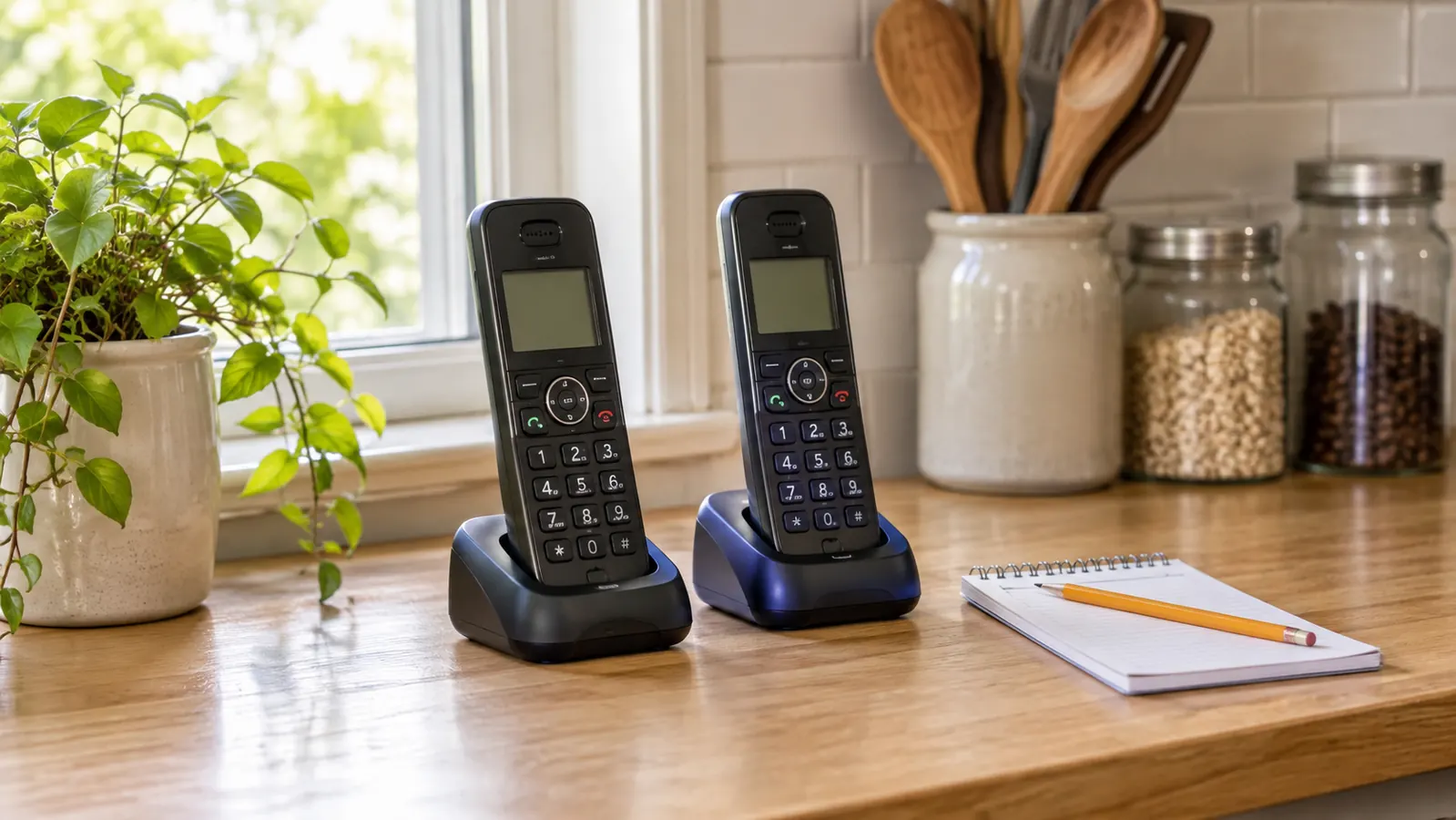
Second, the batteries. The phone ships with four AAA rechargeable batteries included, and the published numbers are ten hours of talk time and five days of standby. In real use in her apartment that has meant putting both handsets back on the chargers overnight, every night, without exception. When she left one off the charger on a Friday and went to her sister's for the weekend, it was dead by Sunday lunch. The handset did not warn her in any way she noticed. My advice is to put the chargers where the phone naturally lands at night, which for her is the table by the bed, and not where the phone looks tidiest, which is the shelf by the door.
Third, the digital answering system holds about seventeen minutes of messages. That sounds like plenty and mostly is, but it is not a mailbox you can ignore for a month. Six days of doctor's office reminders, one wrong number, and two messages from her sister can eat four minutes without anyone trying. I check and clear hers when I visit, which is a two minute job, and I would not count on anyone in that building remembering to do it on their own. If your parent lives alone with nobody nearby, set yourself a reminder to walk them through clearing it, and clear it yourself when you are there.
Fourth, it is a single line phone. There is a three way conference feature, which is genuinely useful when her sister and I want to talk to her at the same time, but do not buy this expecting a second line for a fax machine or a home office. It is a house phone for a person who wants one conversation at a time.
Fifth, the range depends on the building. In her apartment it is fine everywhere except the laundry room down the hall, where it cuts out. Panasonic lists it as compatible with a range extender, the KX-TGA407, and I believe the listing. I did not buy one because the laundry room is the one place she does not want to be interrupted. If your parent lives somewhere with thick walls and a long footprint, plan for the extender or expect a dead zone.
Sixth, and here is the honest part. Setup is an evening. Not a hard evening, but an evening. Registering the second handset, recording the greeting, entering the four favorites, turning on the volume boost, setting the time. I did it in about forty minutes with the booklet open and one phone call to Ron to read a line back to me because the print was small. Someone with less patience and no daughter twenty minutes away would find it irritating. My suggestion is to do it before you hand it over, at your own kitchen table, and then carry it over already working. A phone that arrives working is a gift. A phone that arrives with a booklet is homework.
She answers on the first ring now, four times out of five, up from maybe one in three with her old phone. That is the whole review, really. Everything else is details.
What I Liked
- Buttons are big and separated enough that she finds the right one without looking down
- The favorites key flashes for incoming and missed calls, so she can see that someone called
- Talking caller ID says the name out loud before she decides whether to answer
- The 2.1 inch display is readable without her glasses
- Two handsets, so one lives by the chair and one by the bed
- The built-in flashlight gets used every night in that hallway
Where It Falls Short
- Needs a working phone jack, which rules it out for a lot of households
- Both handsets have to go back on the chargers nightly or they run down
- Seventeen minutes of message capacity fills faster than you expect
- Volume boost and favorites live in menus instead of on the outside of the handset
- Setup took me about forty minutes with the booklet
- Range drops off in parts of her building
Who This Phone Is For
This is for a person with hands that hurt and eyes that squint, living somewhere with a phone jack, who wants a phone on the end table and wants to answer it without a tutorial. It is for the parent or grandparent who already had a cordless phone and quietly stopped using it because the buttons got too small and the screen got too dim. It is for the household where one person does the tech support and would very much like to stop doing tech support. And it is for the person who is still fine, thank you, and does not want a phone that looks like a medical device. This one looks like a phone.
It is also, quietly, for the family around that person. The flashing key means fewer calls asking whether anyone phoned. The talking caller ID means fewer conversations that begin with who was that. The grandkids call her now on weekend afternoons, which they did not really do before, because she answers. That sentence is the one I would underline if I were writing this out on paper. If you are the one who buys the gift and then becomes the help desk, this phone reduces the number of tickets, and that is a strange thing to say about a telephone, but it is true.
Who Should Skip It
Skip it if there is no landline. That is the whole first test and there is no way around it. Skip it if the person you are buying for has already moved entirely to a mobile phone and is content there, because a second phone is just a second thing to charge. Skip it if the household needs two lines, or if anyone expects a phone that connects to the internet, because this one does not and is not trying to.
And skip it if nobody is willing to spend forty minutes on setup and another ten minutes a month clearing messages. This phone is easy to use. It is not maintenance free. The difference between those two things matters, and it is what I would say to anyone who caught me in the grocery store aisle and asked.
If she has a phone jack and hates small buttons, this is the one
Two handsets, a flashing favorites key, talking caller ID, and a flashlight for that dark hallway. Check for a landline jack first, then check today's price.
Amazon Check Today's Price on Amazon →